Prime Gaming rewards for PUBG: BATTLEGROUNDS are still going strong in 2026. For players who already have Amazon Prime, or for those who have been thinking about joining, the monthly drop program remains a straightforward way to pick up in-game extras. The important catch is that the offers rotate every month. That means a reward available now may not be available later, and players should check the official Prime Gaming page regularly for the latest update. It is not too late to claim, but it is also not a one-time permanent catalog. The system is designed around monthly engagement, so the best approach is to build a simple routine: check, claim, link, and launch. The process is not complicated, but it does require a few specific steps and the right account connections. When everything lines up, rewards are automatically granted to the player's Inventory after they enter the game.
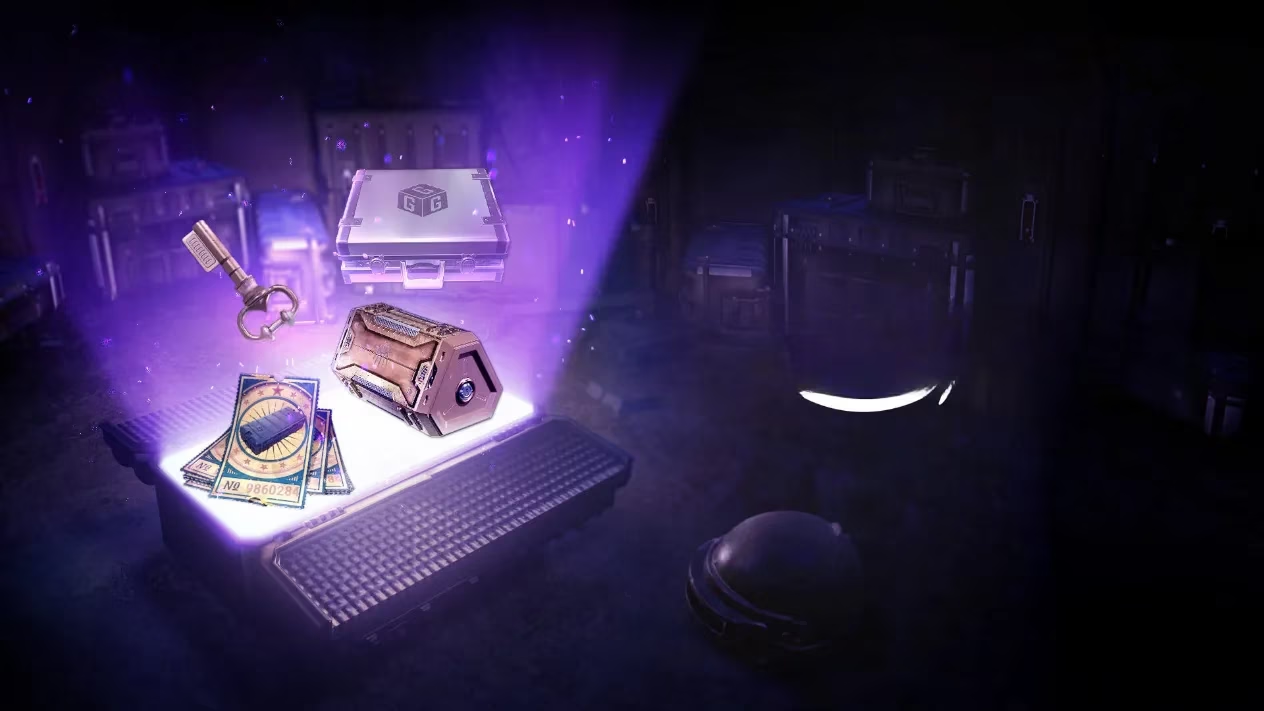
🎁 What Players Can Expect from the Monthly Drops
The exact rewards change from month to month. That is why the program stays interesting for long-term players. One month might bring a cosmetic item or a special bundle, while another month might focus on a different kind of in-game bonus. The official information does not promise a fixed list, and that is the point: Prime Gaming rewards are seasonal, rotating, and time-limited. Players who want to avoid missing out should treat the official Prime Gaming page as their first stop at the start of each month. It is also wise to claim early rather than waiting until the final days of an offer window.
📝 How to Claim PUBG: BATTLEGROUNDS Prime Gaming Rewards
The claiming flow is built around Amazon Prime and KRAFTON ID. Here is the standard process in third-person terms.
-
A player accesses the Prime Gaming page.
-
They click the Claim Now button below the claimable reward.
-
They sign in to an Amazon Prime account, or sign up for one.
-
If they do not have an Amazon account, they create one first by selecting Create Your Amazon Account.
-
After signing up for Amazon Prime, they add a payment method. The 7-day free trial can be started first, with the monthly payment beginning after the trial.
-
Once the Amazon Prime account is ready, the player is redirected to the reward claiming window.
-
They press Go to KRAFTON to link their KRAFTON ID to the Amazon Prime account.
-
They agree to allow Prime Gaming the rights to access their game account information.
-
After confirmation, they are redirected back to the Prime Gaming page.
-
They click Complete Claim to receive the reward.
-
Finally, they access PUBG: BATTLEGROUNDS and see the rewards automatically granted to their Inventory.
| Step | Action | Key Detail |
|---|---|---|
| 1 | Open Prime Gaming | Look for the current PUBG: BATTLEGROUNDS offer |
| 2 | Click Claim Now | Start the reward flow |
| 3 | Sign in or sign up | Amazon Prime membership is required |
| 4 | Add payment method | Free trial may be available |
| 5 | Link KRAFTON ID | Press Go to KRAFTON |
| 6 | Grant access | Agree to account information access |
| 7 | Complete Claim | Confirm the reward |
| 8 | Launch the game | Check Inventory for the granted items |
❓ Common Questions Players Ask
Do players have to be Amazon Prime members to receive the rewards?
Yes. Prime Gaming rewards are tied to an active Amazon Prime membership. Without that membership, the claim button and reward delivery process will not work as intended.
Can players cancel their Prime membership?
Yes, a player can cancel their Prime membership. However, they should understand that cancellation may affect future reward eligibility. If they cancel before a reward is fully claimed or delivered, they may lose access to that month's offer.
What if a player starts the 7-day free trial and sees a $1.00 USD charge?
A small temporary authorization or verification charge can sometimes appear when a payment method is added. It is usually not a full charge, but players who are concerned should check their Amazon account details and payment history directly.
Will every game platform linked to a KRAFTON ID receive the rewards?
Rewards are connected to the KRAFTON ID. If multiple platforms are linked, delivery can depend on the account setup and the specific reward. Players should verify their linked accounts before claiming, especially if they play on more than one platform.
What happens if a player links the wrong PUBG: BATTLEGROUNDS account to their KRAFTON ID?
This is a common worry. The best move is to contact support as soon as possible. Unlinking and relinking may be limited, so players should double-check the account name and platform before confirming the link.
💡 Final Tips for 2026
-
Check the Prime Gaming page at the start of every month.
-
Confirm the KRAFTON ID before linking.
-
Do not wait until the last minute, because rewards rotate.
-
Keep the Amazon Prime payment method up to date.
-
Launch PUBG: BATTLEGROUNDS after claiming to confirm the items appear in Inventory.
-
Treat the monthly drop as a routine, not a one-time event.
The program remains a simple bonus for Amazon Prime members who play PUBG: BATTLEGROUNDS. The steps are short, the rewards are automatic after claiming, and the main requirement is attention to timing. In 2026, with offers changing regularly, the players who get the most value are the ones who check early, link correctly, and claim before the window closes. Thank you, PUBG: BATTLEGROUNDS Team, for keeping the rewards flowing.